
Securing Your Website: The Importance of SSL
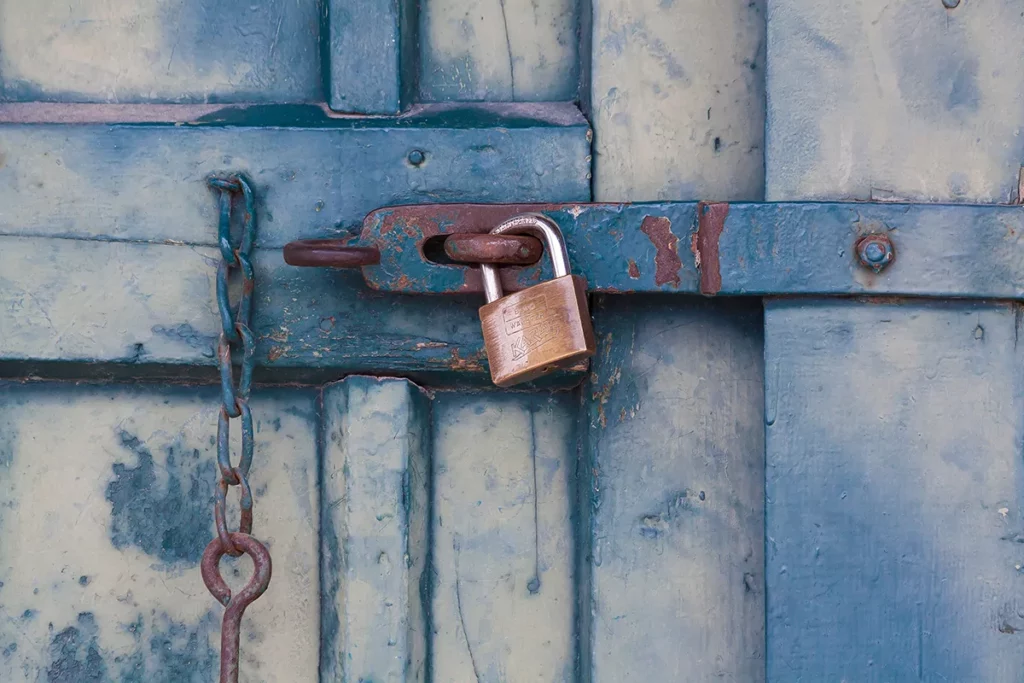
In today’s digital age, the internet plays a pivotal role in every aspect of our lives. Whether for personal use or business, websites have become the primary means of communication, information sharing, and online transactions. However, online security has become a paramount concern with increased reliance on the virtual world. One crucial step in ensuring your website’s and its visitors’ safety is to implement SSL (Secure Socket Layer) encryption. In this blog post, we will delve into the significance of SSL and why every website owner should prioritize its adoption. If you’re ready to take your website’s security to the next level, we encourage you to contact us to set up SSL right away. The Fundamentals of SSL SSL is a security protocol that establishes an encrypted link between a web server and a user’s browser. This encryption ensures that all data transmitted between the server and the browser remains confidential and cannot be intercepted or tampered with by malicious third parties. SSL not only protects sensitive information such as login credentials, credit card details, and personal data but also guarantees the integrity and authenticity of the website. 1. Data Protection and Privacy When visitors land on your website, they trust you with their personal information. Whether submitting contact forms, signing up for newsletters, or making online purchases, users expect their data to be kept private and secure. SSL encryption encrypts the data during transmission, making it unreadable to anyone attempting to intercept it. This fosters trust and confidence among your visitors, enhancing the overall user experience and encouraging repeat visits. 2. Search Engine Ranking Boost In recent years, major search engines like Google have actively encouraged website owners to implement SSL. Websites with SSL certificates are given a ranking boost in search results, which means they are more likely to appear higher in search listings than non-secure websites. This SEO benefit alone makes SSL critical in improving your website’s visibility and driving more organic traffic. 3. Trust and Credibility Imagine you visit a website and see a “Not Secure” warning next to the website’s URL in the address bar. It’s an immediate red flag. Without SSL, browsers alert users that the connection is not secure, which can scare away potential visitors. On the other hand, when your website displays the padlock symbol and the “https://” prefix, it reassures users that their data is safe and builds trust in your brand or business. 4. Protection Against Cyber Attacks Cybercriminals are constantly on the lookout for vulnerable websites to exploit. SSL significantly reduces the risk of data breaches, man-in-the-middle attacks, and other malicious activities. SSL is a strong deterrent, protecting your website and your users from potential cyber threats. Conclusion In conclusion, SSL is no longer a luxury but a necessity for every website. It’s not only about securing sensitive data; it’s about building trust, credibility, and a solid online presence. The advantages of SSL extend beyond safeguarding data; it impacts SEO rankings, visitor confidence, and, ultimately, your online success. Don’t wait for a security breach to take action. Contact us today to set up SSL on your website and provide your users with the highest level of protection. We are committed to ensuring your website’s security and helping you establish a secure digital presence.
Site Vulnerabilities Are A Welcome Mat to Hackers

Hackers have taken advantage of a vulnerability in a popular WordPress plugin that has allowed them to gain full control over millions of websites. The plugin in question is called “Elementor”, and it is designed to limit login attempts to WordPress sites to prevent brute-force attacks. However, a flaw in the plugin’s code has allowed hackers to bypass its security measures and gain access to the site’s database. According to cybersecurity firm Wordfence, the flaw in the Elementor plugin is being actively exploited by hackers who are using it to plant backdoors and upload malware to WordPress sites. This has given the attackers complete control over the affected websites, including the ability to install additional plugins, create new users, and modify the site’s content. The issue has been addressed in the latest version of the Elementor plugin (version 1.6.4), which users are advised to update to as soon as possible. However, many WordPress sites are still running older versions of the plugin, leaving them vulnerable to attack. WordPress site owners are urged to take immediate action to protect their sites by updating the Loginizer plugin and checking their site’s logs for any suspicious activity. Additionally, it is recommended to implement strong passwords, enable two-factor authentication, and regularly backup the site’s data to minimize the impact of any potential attack. At Parker Web, we pride ourselves in providing our clients with the most up to date website experience and acted on this threat immediately. Speak with us today about how we handle website vulnerabilities. Click here to learn more.
Use Passphrases, Not Passwords
The folks over at Trustwave’s Spiderlabs announced last week the discovery of more than 2 million sets of credentials for accessing everything from Facebook to email accounts. This find brings up an important reminder that we should not only regularly update our passwords (every 6-12 months is recommended, some recommend quarterly) but that we should look to improve the complexity of our passwords. Thinking in terms of passphrases instead of passwords is a good first step in achieving needed credential complexity. There are several methods for creating passphrases: Think of a memorable event in your life such as “I graduated from high school in 1988”. Now make the phrase a bit more unique like “I graduated 5th in my class from Davie County High School in 1988” or “I barely graduated with a degree from Davie County High in 1988”. Taking this variation step makes the phrase uniquely yours. Now create your password by taking the first letter of each word. In the first example, the passphrase would be “Ig5imcfDCHSi1” and the second example it would be “IbgwadfDCHi1” or make it more your own with “Ig5imcfDCHSin88”. This passphrase has 3 different character types (lowercase, uppercase and a number). If you want to add an additional character, use a symbol. An example: “Ig5!mcfDCHS@88” Another way is to go long versus complex. The more length a password has, the stronger it is. Check out the example below with “correcthorsebatterystaple”: It is important to note that you should use a different password for each login. This is a difficult thing for most people to do, much less remember each one. I recommend creating a unique passphrase model for yourself. Organizations often require certain parameters in the setup of their passwords, particularly in length and use of character variations. Take this into consideration when coming up with your own passphrase model. So for example, go with a special character start, a couple of common words with mixed cases (usually at the start of the word), and then a follow up two or three digit number. Following a passphrase model will help you remember passwords across the host of sites you use. Parker Web prides itself on providing a top-notch website experience. Schedule a call today.